Step 1
Sign up as the grown-up
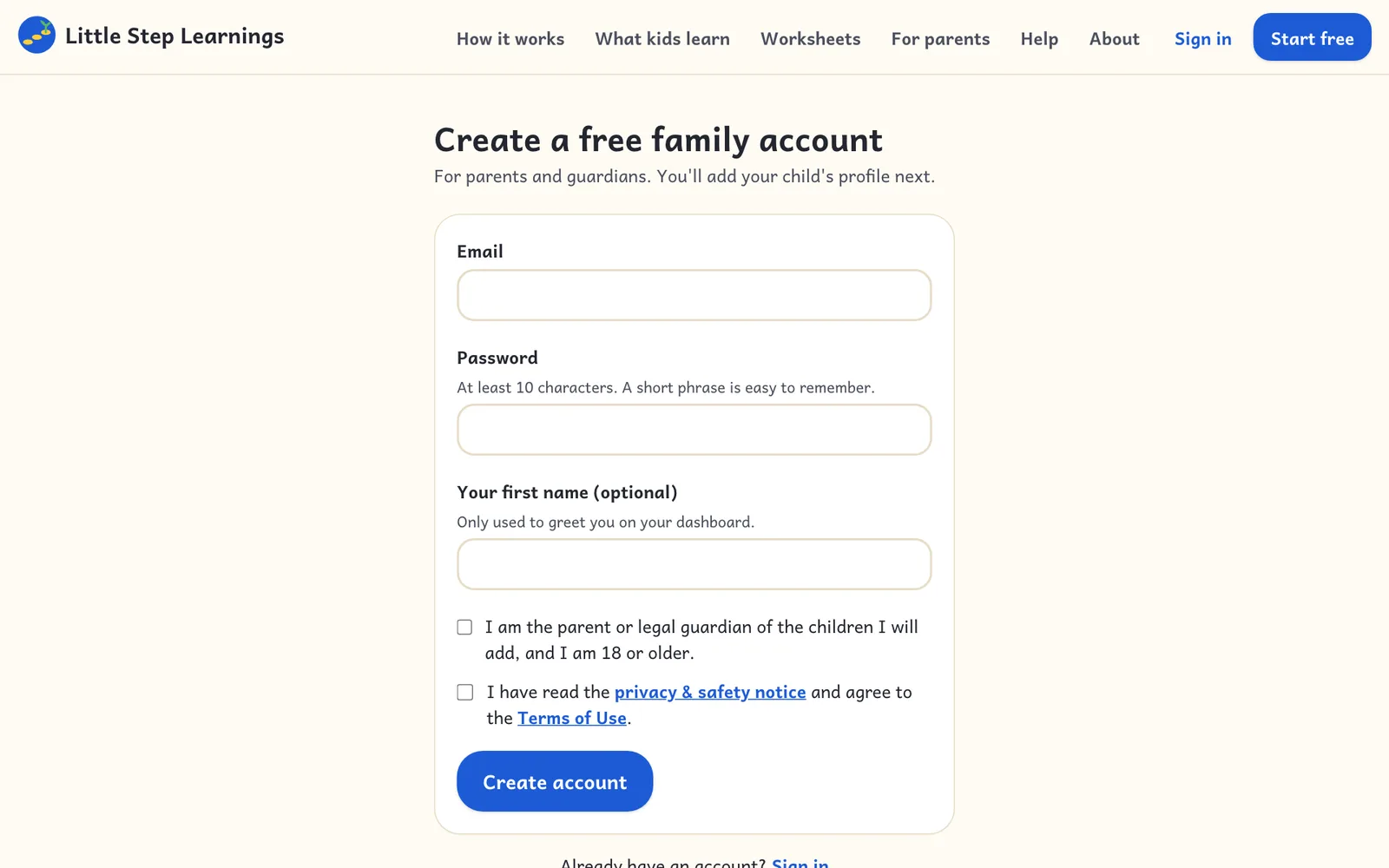
Open the site and choose Start Learning. Enter your email and a password of at least 10 characters, then confirm you are the parent or guardian.
On a computer
Sign up, confirm your email, and add your first child in a few minutes.
Step 1
Open the site and choose Start Learning. Enter your email and a password of at least 10 characters, then confirm you are the parent or guardian.
On a computer
Step 2
We send a confirmation link. Tap it within 14 days to keep the account. The link also protects your account if you ever need to reset the password.
Step 3
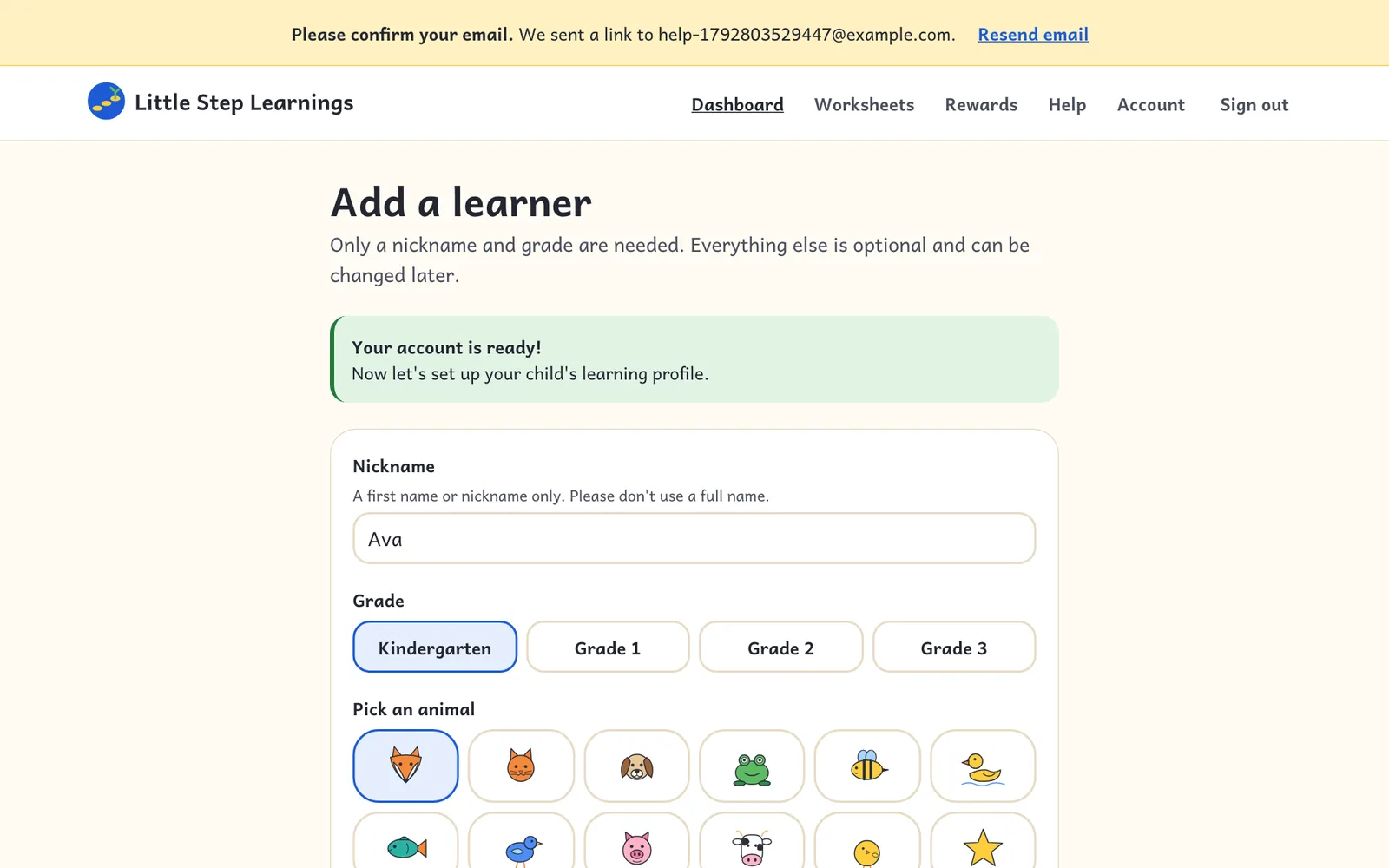
Choose a nickname (not a full name), a grade, and an animal picture. Optional settings like read-aloud speed can be changed later.
On a computer
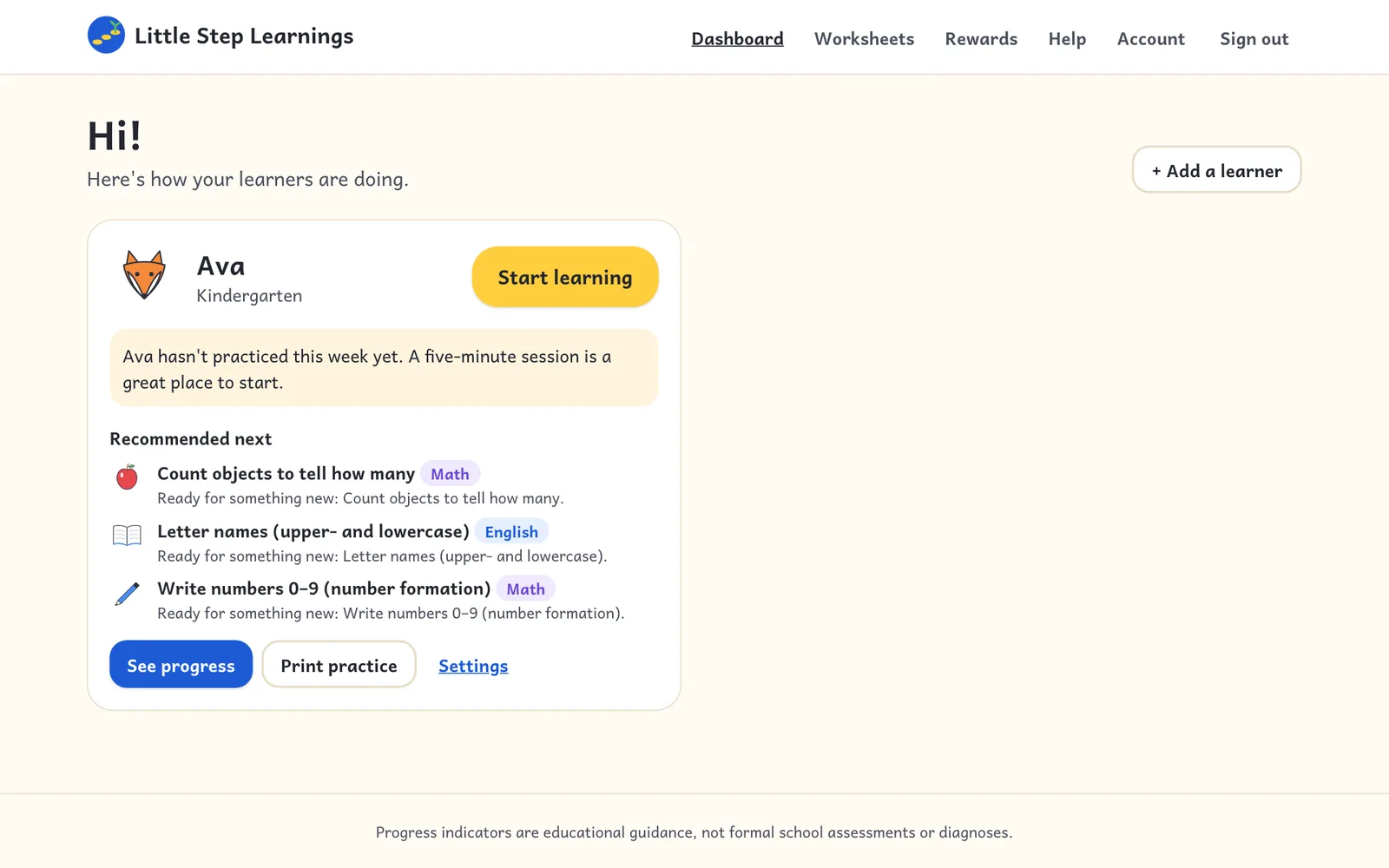
Step 4
The parent dashboard shows each child's recent practice and what to try next. Add more children here (up to 8).
On a computer